AI Tools for Students
Research, Study & Exam Mastery
TL;DR:
AI can transform how you research, take notes, write, and prepare for exams — but only if you use it as a thinking tool, not a shortcut. This guide gives you a systematic framework to build a personal AI study stack, use it ethically, and actually learn more in less time. Every module includes prompt templates, checklists, and hands-on labs you can apply to your real courses.

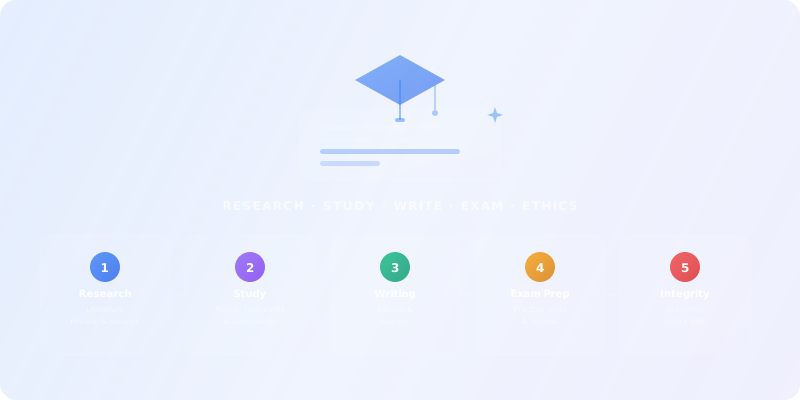
Who this guide is for
This guide is for students at any level — high school, undergraduate, graduate, or PhD — who want to use AI tools to study smarter without crossing ethical lines. It's also useful for lifelong learners and educators who want to understand how students are using AI.
Prerequisites: Basic comfort with online tools and a willingness to learn responsibly. No technical background required.
University Students
High School & Graduate
Lifelong Learners
What you'll learn
AI for Research
Find, summarize, and organize academic papers with semantic search tools.
AI Note-Taking
Transcribe lectures, generate study guides, and create flashcards automatically.
AI for Writing
Get feedback on drafts, improve clarity, and cite correctly — without plagiarizing.
AI Exam Prep
Generate practice quizzes, use spaced repetition, and target weak spots.
Academic Integrity
Understand the ethics line: when AI helps learning vs. when it harms it.
Stack Design
Build a minimum viable AI study stack tailored to your courses and budget.
Building Your AI Study Stack (The Right Way)
What AI actually changes for students
AI tools like LLMs (ChatGPT, Claude, Gemini), generative AI, and semantic search engines are changing how students work — but not always for the better. If you want to understand how these models actually work, start with our AI Fundamentals course.
✅ What AI enables
- Automated lecture transcription and structured summaries
- Instant paper summaries with key findings extracted
- AI-generated practice quizzes adaptive to your weak spots
- Grammar and style feedback on drafts
⚠️ The risks
- Over-reliance → surface learning, no deep understanding
- Hallucinations → AI inventing fake facts and citations
- Plagiarism risk → submitting AI text as your own work
- Dependency → can't perform without AI assistance
For frameworks to evaluate these risks critically, see our AI Critical Thinking course.
The 4-layer student AI stack
1. Research & discovery
Find papers, books, and sources fast using semantic search.
Browse tools in Scientific Research and Search & Discovery.
2. Note-taking & capture
Record lectures, PDFs, and videos → structured notes and flashcards.
Browse tools in Productivity & Collaboration.
3. Writing & editing
Draft, refine, and cite correctly — AI as writing coach, not ghostwriter.
Browse tools in Writing & Translation and Conversational AI.
4. Study & exam prep
Flashcards, practice quizzes, spaced repetition, and adaptive practice.
Use tools like Quizlet, Anki, RemNote, or AI assistants from Conversational AI.
Exercise 1 — Your Study Workflow Map
For your current or upcoming course, list:
- 3 biggest time sinks (e.g. "reading 50-page papers", "rewriting messy lecture notes", "making flashcards")
- For each, decide: "Automate" (AI does first pass), "Augment" (AI assists, you own it), or "Do manually" (better without AI)
AI for Academic Research & Literature Review
Finding papers with AI semantic search
Modern AI research tools work differently than traditional keyword search. They understand meaning, not just words — so you can ask research questions in natural language and get relevant papers back.
- Semantic Scholar, Consensus — search by concept or question, not just keywords
- Elicit — "Find 20 papers on [topic], extract methods, results, limitations"
- Perplexity — ask research questions in natural language, get cited answers
Compare research tools in Scientific Research and Search & Discovery on our directory.
Reading & summarizing papers fast
Differentiate between specialized research tools (Scholarcy, Consensus — auto-extract key findings, methodology, limitations) and general AI assistants (ChatGPT, Claude, Gemini — paste abstract/intro, ask for structured summary).
Prompt Template — Paper Deep Dive
"You are an academic research assistant. Summarize this paper: Main research question and hypothesis. Methodology (sample, design, analysis). Key findings (3–5 bullets). Limitations and future directions. Keep under 300 words, cite page numbers where possible."
Ethics checkpoint
Organizing research & building citation networks
Use reference managers (Zotero, Mendeley) with AI plugins to auto-extract metadata and generate bibliographies. Tools like Notion AI can create research databases with AI-suggested connections. Scite.ai shows how papers are cited — supporting vs. contrasting.
Lab 2 — Conduct a Mini Literature Review
- Pick a topic (ideally for a real assignment)
- Use an AI tool from Scientific Research to find 10 papers
- Create an annotated bibliography with AI-assisted summaries
- Write a 1-page synthesis: What do we know? What are the gaps?
AI for Note-Taking & Lecture Capture
Lecture transcription & real-time notes
AI note-takers can record live lectures, generate real-time transcriptions, and produce structured summaries — including key concepts and potential exam questions.
- Record lecture with phone/laptop (check professor's permission first)
- Upload to an AI note-taker (many listed in Productivity & Collaboration)
- Get: transcript, summary, key concepts, potential exam questions
- Review and annotate manually — don't just accept blindly
Turning PDFs & readings into study notes
For reading-heavy classes, upload PDFs to AI tools that generate study guides, flashcards, mind maps, and practice exams. You can also paste text chunks into a general AI assistant from Conversational AI and ask for structured study guides.
Prompt Template — PDF Study Guide
"Turn this lecture PDF into a study guide: Main topics (bullet list). Key concepts with definitions. 5 practice questions (mix of recall and application). Important formulas/diagrams (list page numbers)."
Auto-generated flashcards & spaced repetition
Combine AI generation with learning science: let AI generate a first draft of flashcards, then you edit, refine, and add personal examples. Use active recall format ("What is X?" not "X is defined as...") and pair with spaced repetition algorithms for long-term retention.
Tools like Quizlet AI, Knowt, and RemNote can upload your notes and auto-generate flashcards. Anki and RemNote add spaced repetition algorithms that show cards you forget more often.
Lab 3 — Build a Study Guide from One Lecture
- Record or upload one lecture/reading
- Use an AI tool to generate: summary, outline, flashcards
- Manually review and improve the output
- Document: what AI did well, what needed human correction
AI for Writing & Academic Integrity
The ethics line (critical for students)
✅ Ethical AI use
- Brainstorming ideas and thesis statements
- Generating outlines and structure
- Getting feedback on drafts ("Is my argument clear?")
- Grammar, style, and citation formatting help
- Explaining complex concepts in simpler terms
❌ Unethical AI use
- Submitting AI-generated text as your own work
- Having AI write entire paragraphs or essays
- Not citing AI when you use its ideas or phrasing
- Using AI to bypass learning (you can't explain your own paper)
Rule of thumb
AI as your writing coach
Use AI assistants from Conversational AI as a writing tutor — not a ghostwriter. The workflow:
- Write your own first draft (AI doesn't write it)
- Ask AI for structured feedback on clarity, logic, and evidence
- Revise based on feedback — you make the decisions
- Use grammar tools from Writing & Translation for final polish
Prompt Template — Draft Feedback
"You are an experienced writing tutor. Review this essay draft: Is the thesis clear and arguable? Does each paragraph support the thesis? Is evidence cited and analyzed (not just listed)? Are there logical gaps or weak transitions? Give 3–5 concrete suggestions for improvement."
Citations & avoiding hallucinations
AI can invent fake citations — authors, titles, and DOIs that don't exist. This is one of the most dangerous hallucination risks for students.
Safe citation workflow:
- Find real sources using tools from Scientific Research (Elicit, Consensus, Semantic Scholar)
- Export to a reference manager (Zotero, Mendeley)
- Use citation generators for formatting only
- Never accept AI-generated citations without checking
Lab 4 — Write with AI Assistance (Ethically)
- Pick a short essay prompt (500–750 words)
- Use AI for: brainstorming, outlining, feedback on your draft
- Write the actual essay yourself
- Document: which AI prompts helped, where you stayed in control
Checklist — Ethical AI Writing
- I wrote my own thesis and outline (AI suggested, I decided)
- All paragraph content is mine (AI gave feedback, not paragraphs)
- All citations are real and verified
- I can explain and defend every claim
- I disclosed AI use if required by professor/institution
AI for Exam Prep & Active Recall
AI-generated practice questions
Upload your notes to tools like Quizlet, StudyPDF, or Knowt to auto-generate multiple choice, short answer, and essay prompts. Or use a general AI assistant from Conversational AI with a targeted prompt.
Prompt Template — Practice Exam Generator
"You are a professor creating a midterm exam. Based on these lecture notes: Generate 5 multiple choice questions (one correct answer). Generate 3 short answer questions (require explanation). Generate 1 essay prompt (application/analysis level). Cover topics: [list key concepts]. Vary difficulty."
Best practice: Generate 2–3x more questions than you need. Test yourself without looking at notes first (active recall). Use AI to explain why you got questions wrong.
Adaptive practice & weak spot detection
Leverage tools with ML-powered adaptation that track which topics you struggle with and generate more practice there. Spaced repetition tools show cards you forget more often, optimizing your review schedule automatically.
Workflow:
- Take a practice quiz generated by AI
- Review results — identify patterns (e.g. weak on "cell signaling")
- Ask AI: "Generate 10 more questions on cell signaling, increasing difficulty"
- Repeat until mastery
AI study plans & time management
Use AI to optimize study schedules. Tools from Productivity & Collaboration can generate study plans based on exam dates and topics. Or prompt an AI assistant: "I have 2 weeks until my biology exam covering [topics]. Create a day-by-day study plan, allocating more time to complex topics."
Lab 5 — Build an AI-Powered Exam Prep System
- Pick one upcoming exam
- Use AI to: generate practice questions, create flashcards, build a study schedule
- Take at least one full practice exam
- Document: score, weak areas, adjusted study plan
Checklist — Effective AI Exam Prep
- Practice questions cover all major topics
- Used active recall (tested myself before reviewing)
- Identified and addressed weak spots
- Verified all AI-generated content for accuracy
- Created realistic exam conditions (timed, no notes)
Capstone — Build Your Complete AI Study System
Take one real course you're in (or planning) and build an end-to-end AI study system. This pulls together everything from Modules 1–5.
Deliverables
1. AI Stack Plan
Which tools for research, notes, writing, and exams — with rationale (Module 1).
2. Literature Review or Research Brief
Using tools from Scientific Research (Module 2).
3. Lecture Study Guide
From recorded/uploaded lecture with notes, flashcards, and quiz (Module 3).
4. Essay or Paper Draft
With AI assistance used ethically and documented (Module 4).
5. Practice Exam
AI-generated questions, results, and weak-spot analysis (Module 5).
Checklist — Capstone Completion
- All 5 deliverables completed
- AI use documented and ethical throughout
- All citations verified (no hallucinated sources)
- Human review completed on all AI-generated content
- Can explain and defend every claim in written work
Recommended AI tools for students
These tools are clustered by study workflow. Start with one tool per workflow and expand only when you hit a clear need. You can always browse the full directory of AI tools for students when you want to go broader.
Research & discovery tools
Semantic search, paper summarization, literature review, and citation management.
ChatGPT
AI research, productivity, and conversation—smarter thinking, deeper insights.
Google Gemini
Your everyday Google AI assistant for creativity, research, and productivity
Perplexity
Clear answers from reliable sources, powered by AI.
DeepSeek
Efficient open-weight AI models for advanced reasoning and research
Notion AI
The all-in-one AI workspace that takes notes, searches apps, and builds workflows where you work.
Notebook LLM
Turn complexity into clarity with your AI-powered research and thinking partner
Note-taking & productivity tools
Lecture transcription, structured summaries, flashcard generation, and study organization.
ChatGPT
AI research, productivity, and conversation—smarter thinking, deeper insights.
Google Gemini
Your everyday Google AI assistant for creativity, research, and productivity
Perplexity
Clear answers from reliable sources, powered by AI.
Cursor
The AI code editor that understands your entire codebase
Canva Magic Studio
All the AI magic of Canva, in one place.
GitHub Copilot
Your AI pair programmer and autonomous coding agent
Writing & editing tools
Grammar checking, style improvement, paraphrasing, and academic writing assistance.
ChatGPT
AI research, productivity, and conversation—smarter thinking, deeper insights.
Google Gemini
Your everyday Google AI assistant for creativity, research, and productivity
Perplexity
Clear answers from reliable sources, powered by AI.
DeepSeek
Efficient open-weight AI models for advanced reasoning and research
Adobe Photoshop
Create, edit, and design with industry-leading AI-powered image innovation.
DeepL
The world’s most accurate AI translator
Study & exam prep tools
Practice quizzes, spaced repetition, adaptive learning, and exam simulation.
Suno AI
Empowering Your Data with AI
Notebook LLM
Turn complexity into clarity with your AI-powered research and thinking partner
Azure Machine Learning
Enterprise-grade AI and ML, from data to deployment
QuillBot
Your all-in-one AI writing assistant
Transformers
State-of-the-art AI models for text, vision, audio, video & multimodal—open-source tools for everyone.
Studocu
Empower everyone to excel at their studies
FAQ for students using AI
Is using AI for schoolwork cheating?
It depends on how you use it. Using AI to brainstorm, get feedback on your drafts, or generate practice questions is like using a tutor — it helps you learn. Submitting AI-generated text as your own work is plagiarism. Always check your institution's AI policy and disclose AI use when required.
Can AI write my research paper?
AI can help you research, outline, and improve your paper — but it should never write it for you. AI-generated text lacks original thinking, may contain hallucinated facts, and won't reflect your understanding. Use AI as a thinking partner, not a ghostwriter.
How much should I spend on AI study tools?
Many excellent tools have free tiers that are more than enough for most students. Start with free versions of ChatGPT, Perplexity, Quizlet, and Grammarly. Only upgrade when you hit clear limits. A reasonable budget is $10–30/month for one or two premium subscriptions.
Will professors know I used AI?
AI detection tools exist but are unreliable — they produce both false positives and false negatives. The better approach: be transparent. Many institutions now have AI use policies. Disclose how you used AI, and make sure your work clearly reflects your own thinking and understanding.
AI USE DECLARATION
===================

Assignment: _______________
Date: ___________

AI tools used:
- Tool: _______________
- Purpose: [research / brainstorming / drafting / editing / fact-checking / other]
- What AI generated: _______________
- What I wrote/modified myself: _______________

How I verified AI output:
- □ Cross-checked facts with primary sources
- □ Rewrote in my own words and voice
- □ Added my own analysis and critical thinking
- □ Cited all sources (including AI-assisted ones)

My learning from this process:
_______________

I confirm that the final work reflects my own understanding and thinking.
Build your ethical AI study workflow
- 1Pick a topic from your current coursework. Ask an AI tool to explain it. Then, without looking at the AI output, write your own explanation from memory. Browse Student AI Tools
- 2Compare the two explanations. Where did the AI help you understand better? Where did it miss nuance that you caught?
- 3Now use AI for research: Ask it to find 3 arguments FOR and 3 AGAINST a position related to your topic. Verify each claim with a real source.
- 4Write a 200-word summary that combines AI-assisted research with your own critical analysis. Could a reader tell which parts were AI-assisted?
- 5Fill out the AI Use Declaration above. Practice transparency — this is the skill that will matter most in your career.
Popular AI tools for students
Explore top-rated AI tools that students rely on for research, writing, note-taking, and exam prep.
ChatGPT
AI research, productivity, and conversation—smarter thinking, deeper insights.
Google Gemini
Your everyday Google AI assistant for creativity, research, and productivity
Perplexity
Clear answers from reliable sources, powered by AI.
Cursor
The AI code editor that understands your entire codebase
DeepSeek
Efficient open-weight AI models for advanced reasoning and research
Adobe Photoshop
Create, edit, and design with industry-leading AI-powered image innovation.
Ready to Apply What You Learned?
AI Fundamentals: How AI Actually Works
Understand the technology behind the tools you use — LLMs, neural networks, and how AI generates text.
Start LearningTest Your Knowledge
Complete this quiz to test your understanding of building an ethical AI study system.
Loading quiz...
Key Insights: What You've Learned
AI is a thinking tool, not a shortcut — use it to augment your learning, not replace it.
Build a 4-layer study stack (research, notes, writing, exam prep) and start with free tools before upgrading.
Every AI-generated output must be verified, reviewed, and understood before you use it in your work.