AI Tools for YouTube Creators
Upgrade Your YouTube Workflow with AI
TL;DR:
You don’t need a big production team to run a serious YouTube channel – you need a workflow that uses AI where it helps most: turning ideas into scripts, cleaning up audio and video, generating scroll-stopping thumbnails, and learning from your analytics. This guide shows you which AI tools fit into each stage of your pipeline and how to avoid drowning in complexity.

Why YouTube creators need an AI assist
Running a YouTube channel means juggling ideas, scripts, filming, editing, thumbnails, SEO, comments, and brand deals – often on top of a day job. Most creators don’t fail because they lack talent, but because the workload quietly becomes unmanageable.
AI can’t decide your niche or your voice, but it can take over a lot of repetitive work: turning bullet points into scripts, proposing title and thumbnail ideas, cleaning up audio, generating B-roll, and surfacing insights from your analytics so you know what to double down on.
The YouTube content pipeline (and where AI fits)
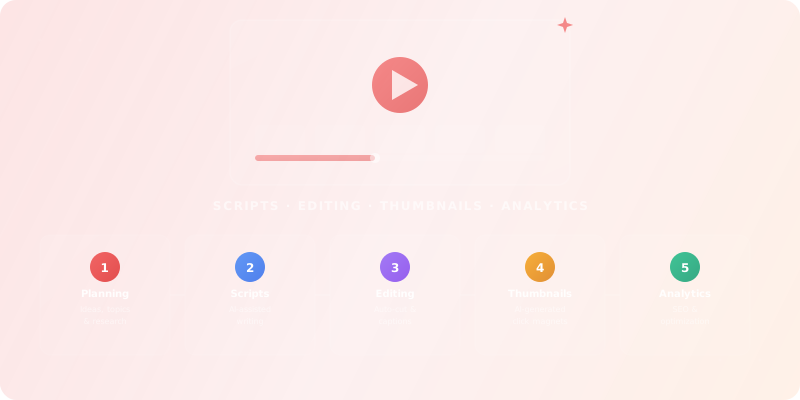
A sustainable YouTube workflow usually follows the same pattern: ideas, scripts, recording, editing, packaging, and analytics. AI works best when you plug it into the bottlenecks instead of forcing it into every step.
1. Ideas & research
Find topics your audience actually searches for, analyse competitors, and map content around existing demand instead of guessing.
2. Scripts & outlines
Turn rough bullet points into structured scripts with hooks, retention moments, and clear calls to action.
3. Editing & cleanup
Automate rough cuts, filler word removal, captions, and basic colour or audio cleanup.
4. Thumbnails & packaging
Design thumbnails, title variants, and description templates that are consistent with your brand.
5. Distribution & analytics
Schedule uploads, repurpose clips, and read your analytics at a glance so you can test, learn, and iterate.
AI tools by stage of your workflow
Rather than chasing every new “AI tool for YouTube”, it helps to map your stack to the pipeline above. Start with one tool per stage that you actually use every week. You can always browse all tools for content creators when you want to go broader.
Ideas & research tools
Find topics, keywords, and angles that people actually search for on YouTube and beyond.
ChatGPT
AI research, productivity, and conversation—smarter thinking, deeper insights.
Google Gemini
Your everyday Google AI assistant for creativity, research, and productivity
Perplexity
Clear answers from reliable sources, powered by AI.
Grok
Your cosmic AI guide for real-time discovery and creation
Notion AI
The all-in-one AI workspace that takes notes, searches apps, and builds workflows where you work.
Notebook LLM
Turn complexity into clarity with your AI-powered research and thinking partner
Scripting & outline tools
Turn rough ideas into structured scripts and A/B test hooks, intros, and CTAs.
ChatGPT
AI research, productivity, and conversation—smarter thinking, deeper insights.
Google Gemini
Your everyday Google AI assistant for creativity, research, and productivity
Perplexity
Clear answers from reliable sources, powered by AI.
DeepL
The world’s most accurate AI translator
Grok
Your cosmic AI guide for real-time discovery and creation
Notion AI
The all-in-one AI workspace that takes notes, searches apps, and builds workflows where you work.
Editing & cleanup tools
Speed up rough cuts, captions, and audio cleanup so you can publish more consistently.
Sora
Create stunning, realistic videos & audio from text, images, or video—remix and collaborate with Sora 2, OpenAI’s advanced generative app.
Adobe Photoshop
Create, edit, and design with industry-leading AI-powered image innovation.
Canva Magic Studio
All the AI magic of Canva, in one place.
Leonardo.Ai
Create production-ready visuals with AI-powered creativity
Notion AI
The all-in-one AI workspace that takes notes, searches apps, and builds workflows where you work.
Suno AI
Empowering Your Data with AI
Thumbnail & branding tools
Generate and iterate thumbnails, channel art, and visual assets that match your brand.
Freepik AI Image Generator
Generate on-brand AI images from text, sketches, or photos—fast, realistic, and ready for commercial use.
Adobe Photoshop
Create, edit, and design with industry-leading AI-powered image innovation.
Grok
Your cosmic AI guide for real-time discovery and creation
Canva Magic Studio
All the AI magic of Canva, in one place.
Leonardo.Ai
Create production-ready visuals with AI-powered creativity
Adobe Express
Bring ideas to life faster with AI | Adobe Express
Distribution & analytics tools
Schedule videos, repurpose clips, and understand what keeps viewers watching.
HeyGen
Create Professional AI Videos in Minutes
Gamma
Create presentations, websites, docs & social instantly with AI—no design skills required.
Beacons
One supercharged creator hub to manage everything
Mailchimp
Transform emails and SMS into revenue with AI
Symphony Creative Studio
Create TikTok Videos in Minutes with AI
MailerLite
Create Email Marketing Your Audience Will Love
How to choose the right tools for your channel
A small channel with a few hundred subscribers needs a very different stack than a team running multiple uploads per week. The danger is locking yourself into expensive tools before your format and schedule are stable.
- Early stage / experimentation – Focus on research, scripting, and simple editing helpers. Free or freemium tools are enough.
- Growing channel – Invest in faster editing and better thumbnails to ship more consistently and improve click-through rates.
- Established channel – Upgrade analytics and repurposing tools so you can test formats, spin off shorts, and understand what really drives retention.
If you want to keep an eye on cost, you can compare pricing models across all tools in one place instead of evaluating every product from scratch.
Simple rule
I'm a YouTube creator in the [NICHE] space. Help me plan my next video.

Channel size: [subscriber count]
Upload frequency: [e.g. 1/week]
Average view duration: [e.g. 4 min out of 10 min videos]

Topic idea: [YOUR TOPIC]

Please provide:
1. 5 click-worthy title options (with power words)
2. A thumbnail concept description (colors, text, emotion)
3. A hook for the first 30 seconds that maximizes retention
4. A script outline with timestamps and key talking points
5. 3 SEO tags and a description optimized for YouTube search
6. 1 idea for a YouTube Short derived from this video
Example AI-assisted YouTube workflows
Solo creator, 1 video per week
Maximising quality while keeping workload realistic.
- 1 writing assistant for ideas, titles, and scripts.
- 1 lightweight editor with AI cuts and captions.
- 1 thumbnail/design tool with reusable templates.
Creator with shorts + long-form
Repurposing content instead of starting from zero.
- Tools that auto-cut shorts from long videos.
- Auto-captions and multi-language subtitles.
- Scheduler to plan uploads across formats.
Growing channel with basic team
Using AI to coordinate, not just automate.
- Shared script workspace with comments.
- Central asset library and thumbnail system.
- Analytics tools focused on retention and experiments.
FAQ for using AI on YouTube
Will AI make my videos feel generic?
It can – if you let the tools lead. Use AI for drafts, structure, and variations, but always run scripts and thumbnails through your own filter. Keep a short list of non-negotiables for your channel (tone, pacing, what you never do) and check outputs against them.
Can AI fix bad ideas or weak formats?
AI can polish almost anything, but it can’t turn a format nobody wants into a hit. Use your analytics and audience feedback to decide what to make; use AI to make execution faster and more consistent.
How do I avoid spending all day testing tools?
Decide in advance which stage of your pipeline you want to improve this month, then trial 1–2 tools for that stage only. Give each a short test window (one or two uploads), measure the impact, and either commit or cancel.
Popular tools for YouTube creators
Explore a curated selection of AI tools that many content creators rely on for scripting, editing, thumbnails, and analytics.
ChatGPT
AI research, productivity, and conversation—smarter thinking, deeper insights.
Sora
Create stunning, realistic videos & audio from text, images, or video—remix and collaborate with Sora 2, OpenAI’s advanced generative app.
Google Gemini
Your everyday Google AI assistant for creativity, research, and productivity
Perplexity
Clear answers from reliable sources, powered by AI.
Freepik AI Image Generator
Generate on-brand AI images from text, sketches, or photos—fast, realistic, and ready for commercial use.
Adobe Photoshop
Create, edit, and design with industry-leading AI-powered image innovation.
Ready to Apply What You Learned?
AI Explorer: Finding Your Tools
Learn how to navigate our tool directory, use filters, and compare options without getting overwhelmed.
Start LearningTest Your Knowledge
Complete this quiz to test your understanding of building an AI-assisted YouTube workflow.
Loading quiz...
Key Insights: What You've Learned
AI can support every stage of your YouTube workflow, from ideas and scripts to editing, thumbnails, and analytics.
The best results come from choosing one or two tools per stage and measuring their impact on consistency and channel metrics.
Start lean, iterate based on data, and let AI handle the repetitive parts so you can focus on the creative decisions only you can make.