AI Tools for Developers
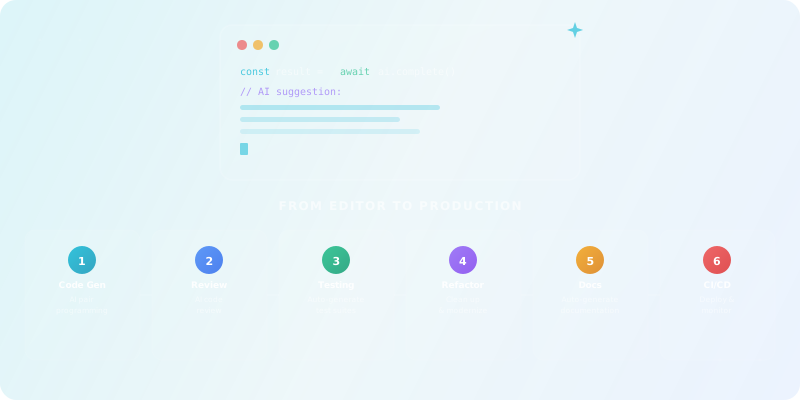
From Editor to Production
TL;DR:
This guide covers the entire AI-augmented development lifecycle: choosing a coding assistant, integrating AI into code review and testing, using AI for refactoring and documentation, and plugging AI into your CI/CD pipeline. Each module includes prompt templates, checklists, and hands-on labs. The capstone ties it all together in a real refactor-and-harden project.

Who this guide is for
This guide is for full-stack developers, backend/frontend engineers, indie hackers, and engineering leads who want to integrate AI into their daily development workflow without sacrificing code quality or security.
Prerequisites: You should be comfortable with Git, basic CI, and at least one language/framework (e.g. JS/TS + Next.js, Python + FastAPI, or JVM). Some PR and code review experience is helpful but not required.
Full-Stack Developers
Backend & Frontend Engineers
Tech Leads & Indie Hackers
What you'll learn
AI Coding Assistants
Choose, configure, and use AI assistants systematically in your editor.
AI Code Review
Integrate AI review bots and security scanning into PR workflows.
AI for Testing
Generate, maintain, and orchestrate test suites with AI support.
Refactoring & Docs
Use AI to explore legacy code, plan refactors, and generate docs.
AI in CI/CD & Ops
Plug AI into pipelines for review, testing, release notes, and observability.
Governance & Safety
Define guardrails for data, compliance, and audit trails.
Mapping the AI‑Augmented Dev Workflow
Where AI actually helps (and where it hurts)
The key concept is latency vs. risk vs. context. AI is best at low-risk, high-frequency tasks where the cost of a mistake is small and easy to catch: boilerplate, test scaffolding, simple refactors. It's risky on security-sensitive logic, monetary flows, and database migrations — AI assists, but humans decide. For a structured framework on evaluating these trade-offs, see our AI Critical Thinking course.
Map your SDLC and for each phase, identify 2–3 AI use cases:
1. Design
Architecture sketches, schema proposals, API contract drafts
2. Coding
Inline completion, chat-driven implementation, boilerplate generation
3. Review
PR summarization, bug detection, security scanning
4. Testing
Unit test generation, E2E scaffolding, self-healing selectors
5. Deploy
Release notes, pipeline config, infra-as-code generation
6. Operate
Log summarization, incident analysis, performance hypotheses
If terms like LLM, context window, or static analysis are unfamiliar, our glossary explains them in plain language. For the fundamentals behind these concepts, try our AI Fundamentals course.
Exercise 1 — Your AI Pain/Leverage Map
For your own project, list:
- Top 3 repetitive tasks (e.g. writing DTOs, wiring REST handlers, snapshot tests)
- 1–2 "no-go" areas (e.g. crypto logic, patient data handling)
- For each, mark "Automate", "Assist", or "Avoid"
AI Coding Assistants & IDE Integration
Choosing your AI coding assistant
There are three broad categories of AI coding tools. Each fits a different workflow and comfort level:
Editor-native assistants
GitHub Copilot, JetBrains AI, Gemini Code Assist — plug into your existing IDE with minimal setup.
AI-first IDEs
Cursor, Windsurf, and similar — the entire editor is built around AI workflows, with deep project indexing and multi-file awareness.
CLI & repo-level tools
Assistants that work across files and repos from the terminal — ideal for scripting, refactoring, and pipeline integration.
Decision criteria: primary language/framework, hosting and privacy policies (cloud vs. self-hosted), and depth of repo awareness (full-project indexing vs. single file).
Compare options in AI Coding Assistants on our directory.
Prompt patterns for coding
Use a 3-layer prompting pattern for reliable results:
1. Role & goal
"You are a senior TypeScript engineer in a healthcare SaaS team. Goal: implement a secure appointment booking API."
2. Context
Paste function signatures, types, error model. Reference files: "see auth.ts, appointments.ts".
3. Constraints & style
"Follow existing error handling pattern from error.ts. No new dependencies. Add JSDoc."
Prompt Template — Implement New Feature
"Given these types and existing handler, implement POST /appointments with validation, error mapping, and tests. Keep logic consistent with GET /appointmentsabove."
Prompt Template — Explain & Refactor
"Explain what this function does and any hidden edge cases. Then propose a refactor to simplify it without changing behavior. Keep it idiomatic for Next.js + Prisma."
Workflow: from autocomplete to agent
Build a default dev loop that treats AI as a collaborator, not an oracle:
- Write the rough function signature manually.
- Let AI generate the implementation — but never accept entire files blindly.
- Ask AI to explain the generated code and list edge cases.
- Ask AI to generate tests (unit + integration stubs).
- Run tests and linters locally; treat failures as a feedback loop for the assistant.
Common failure modes
Lab 2 — Implement a Feature with AI Assistant
In a small Next.js API or Express app:
- Implement a new endpoint using an AI assistant
- Get it to generate unit tests
- Document in README: prompts used, where AI helped/hurt
AI Code Review, Security & Quality Gates
Types of AI code review
There are three levels of AI-assisted code review, each serving a different purpose:
- Inline suggestions in IDE — your coding assistant explaining diffs and suggesting improvements as you write. Fast, low-ceremony.
- PR-level review bots — tools like Qodo, CodeRabbit, or GitHub Copilot Reviews that analyze entire PRs, leave comments, and flag patterns. Best for catching architectural drift and security issues.
- Static-analysis-plus-AI platforms — CodeQL, Codacy, or SonarQube with AI features that combine traditional rule-based analysis with semantic understanding.
Explore options in AI Code Review Tools on our directory.
Designing your review workflow
A safe, layered review stack: Lint → Static Analysis → AI Review → Human Review. Each layer catches different classes of issues:
Linter & formatter
ESLint, Prettier, etc. — catches style and simple errors automatically.
Static analysis / SAST
CodeQL, Semgrep — catches security vulnerabilities and known bug patterns.
AI review
Semantics, readability, potential design smells, and context-aware suggestions.
Human review
Business logic, trade-offs, architecture decisions — the things only humans can judge.
Prompt Template — Review Bot Instructions
"When reviewing this PR: Focus on correctness, security, and performance first. Prefer comments that reference specific code lines and files. Avoid nitpicks where linters already enforce rules. If you suggest changes, provide concrete code examples."
Using AI to triage and fix PR issues
Two powerful workflows for AI-assisted PR triage:
Prompt — Summarize & Flag Risky Changes
"Summarize this PR in 5 bullets. Flag any changes touching auth, payment, or data export."
Prompt — Generate Fix from Failing Test
"Given this failing test, propose a minimal fix that preserves behavior and respects existing patterns."
Lab 3 — Add AI Review to a GitHub Repo
- Hook up an AI code review tool or configure a tool-agnostic workflow
- Run it on a deliberately flawed PR (include XSS risk, poor error handling)
- Write a short note: what the AI caught vs. what it missed
AI for Testing & QA
Test generation from code & specs
AI testing tools analyze code paths and generate candidate tests — covering branch conditions, edge cases, and error paths. Some also parse natural language requirements into Gherkin-style specifications.
Prompt — From Function to Tests
"Generate Jest unit tests for this function. Cover normal case, invalid input, and edge cases. Use existing test utils from test-utils.ts."
Prompt — From Feature Spec to Tests
"Turn this feature description into 5 Gherkin scenarios. Cover errors, authentication failures, and boundary conditions."
Maintaining E2E tests with AI
AI testing tools with self-healing capabilities update selectors based on semantics when UI changes, instead of relying on brittle XPaths. They can also suggest which tests to update after a schema or route change.
When to rely on self-healing vs. explicit refactoring:
- Self-healing — good for selector drift in visual tests, fast feedback loops.
- Explicit refactor — required when the underlying user flow changes, or when test intent shifts.
- Always review AI-updated tests diff-by-diff to catch silent semantic changes.
Testing strategy in an AI-heavy codebase
AI-generated code can be brittle or over-confident. Mitigations:
- Stricter unit test coverage for AI-touched files
- Regression suites for critical flows (payments, auth, PII)
- AI-prioritized test runs — ask AI to propose a minimal high-value regression suite based on changed files and historical flakiness data
Prompt — Prioritize Test Runs
"Given this list of changed files and historical flakiness data, propose a minimal high-value regression suite."
Lab 4 — AI-Assisted Test Suite
- Pick a module (e.g. auth, booking) and use an AI assistant to generate tests
- Add 1–2 E2E flows (manual or AI-assisted)
- Document what was auto-generated vs. hand-crafted and why
AI for Refactoring, Documentation & Legacy Code
Codebase exploration with AI
When onboarding into an unfamiliar repo, use AI as your first-pass guide:
- Ask the assistant to map the architecture:"Scan this repo and describe the main modules, domains, and data flows in 10 bullets."
- Drill into hotspots:"Explain this 300-line function; list hidden assumptions and TODOs."
- Combine with static analysis and complexity metrics to validate the AI's map.
Safe refactoring with AI
A reliable refactoring process with AI support:
- Write a short refactor spec: motivation (e.g. "untangle circular deps between modules A and B") and constraints (no API change, no DB migrations).
- Ask AI for a phased plan and migration strategy.
- Use AI for mechanical refactors (renames, extraction), but rely on tests + human review for correctness.
Prompt Template — Safe Refactor
"Given this file, propose a refactor that: splits responsibilities into 2–3 smaller functions, improves naming, adds missing error handling. Keep API and behavior identical; do not add new dependencies."
Documentation & diagrams
Use AI to convert code context into higher-level docs: module overviews, ADRs (Architecture Decision Records), sequence diagrams, and API references.
Prompt — Architecture Overview + Mermaid
"Generate a high-level architecture overview for this service: main endpoints, data stores, external dependencies. Output as Markdown with a diagram description that I can paste into Mermaid."
Lab 5 — Refactor a Legacy Module with AI
- Pick one ugly function or file from your codebase
- Use AI for: explanation, refactor suggestions, partial implementation
- Ensure tests pass and write before/after commentary
AI in CI/CD, Deployment & Ops
AI-enhanced pipelines
Patterns for integrating AI into your CI/CD:
AI lint step
Run AI code review on PRs labeled "needs-ai-review" — catches semantic issues beyond what linters find.
AI test orchestration
Prioritize and regenerate tests in CI, self-heal when UI changes break selectors.
AI release notes
Generate human-friendly changelogs from commit messages and PR descriptions automatically.
Pipeline example
lint → test → ai-review → deploy → ai-release-notes
AI for logs, incidents & performance
Use AI copilots in observability tools to turn noisy data into actionable insights:
Prompt — Incident Summarization
"Explain why we had a spike in 5xx on /checkout between 12:00–12:15 UTC. Use logs in this time window."
Prompt — Root Cause Hypotheses
"Suggest 3 likely causes based on recent deploys and code changes touching payment."
Governance & safety
Key governance points for AI in your pipeline:
- Data governance — define what logs/trace data can go to cloud AIs vs. self-hosted models. PII and secrets never leave your infrastructure.
- Audit trails — log when AI suggested or auto-applied changes. This is essential for debugging and compliance.
- Regulatory compliance — for fintech, medtech, or defense, CI outputs may become part of compliance evidence (EU AI Act, sector regulations).
Lab 6 — Design an AI-Augmented Pipeline
- Draw a simple diagram or YAML snippet showing where AI tools plug into your existing CI/CD
- For each stage: define goal, AI tool type (assistant/review/testing/observability), and failure behavior
Capstone — AI-Augmented Refactor & Hardening Project
Take a small but non-trivial service (e.g. a Next.js + API + DB app) and upgrade it using AI across the entire SDLC. This pulls together everything from Modules 1–6.
Deliverables
1. AI Stack Decision Doc
Which assistants, review tools, and testing tools you chose, with short rationale.
2. Feature Implementation
A new feature implemented with an AI coding assistant (Module 2 patterns).
3. PR with AI Review
One PR reviewed by AI + human, with discussion of what AI missed (Module 3).
4. Tests
Unit + E2E tests, some AI-generated, annotated as such (Module 4).
5. Refactor & Docs
A refactored legacy module + auto-generated docs/diagrams (Module 5).
6. CI/CD Plan
An AI-aware pipeline design showing where AI plugs into each stage (Module 6).
Checklist — Capstone Completion
- All 6 deliverables completed
- Tests passing in CI
- AI-generated code clearly annotated
- Human review completed on all AI suggestions
- Before/after documentation for refactored modules
Recommended AI tools for developers
These tools are clustered by workflow — not alphabetically. Start with one tool per workflow and expand only when you hit a clear bottleneck. You can always browse the full directory of AI tools for software developers when you want to go broader.
AI coding assistants
Code completion, inline chat, and AI-first IDEs for faster implementation.
Perplexity
Clear answers from reliable sources, powered by AI.
Cursor
The AI code editor that understands your entire codebase
DeepSeek
Efficient open-weight AI models for advanced reasoning and research
Windsurf (ex Codium)
Tomorrow’s editor, today. The first agent-powered IDE built for developer flow.
GitHub Copilot
Your AI pair programmer and autonomous coding agent
Lovable
Build full-stack apps from plain English
Code review & security tools
PR review bots, static analysis, vulnerability scanning, and quality gates.
Testing & QA tools
Test generation, self-healing E2E, and AI-assisted test maintenance.
DevOps & deployment tools
CI/CD integration, infrastructure-as-code, and observability AI copilots.
GitHub Copilot
Your AI pair programmer and autonomous coding agent
Lovable
Build full-stack apps from plain English
Google Cloud Vertex AI
Gemini, Vertex AI, and AI infrastructure—everything you need to build and scale enterprise AI on Google Cloud.
Hugging Face
Democratizing good machine learning, one commit at a time.
Azure Machine Learning
Enterprise-grade AI and ML, from data to deployment
Transformers
State-of-the-art AI models for text, vision, audio, video & multimodal—open-source tools for everyone.
FAQ for developers using AI
Will AI replace developers?
AI is a force multiplier, not a replacement. A developer with strong AI skills can produce 2–5x more output, but the hard parts — architecture decisions, debugging subtle issues, understanding business requirements — remain fundamentally human. Treat AI as a very fast junior developer that needs constant supervision.
How do I handle AI-generated code in code review?
Apply the same review standards as human-written code. AI doesn't get a pass on quality, test coverage, or security. Many teams annotate AI-generated sections (e.g. a // AI-generated tag) so reviewers know to look more carefully at those blocks.
What about code privacy and IP concerns?
Check your AI tool's data policies carefully. Cloud-based assistants may send code snippets to external servers. For sensitive projects, use tools with privacy modes (no telemetry, no training on your code), self-hosted models, or air-gapped setups. Most enterprise-tier plans offer data isolation guarantees.
How much should my team budget for AI dev tools?
A reasonable starting point is $20–50/developer/month covering a coding assistant subscription and one review or testing tool. Scale up when you can measure concrete time savings or quality improvements. If a tool doesn't save at least 3–5 hours per developer per month, cancel it.
AI-ASSISTED CODE REVIEW CHECKLIST
===================================

Before accepting AI-generated code:

1. CORRECTNESS
   □ Does it actually solve the problem? (Not just look plausible)
   □ Test with edge cases: empty input, null, large data, concurrent access
   □ Check boundary conditions the AI might have missed

2. SECURITY
   □ No hardcoded secrets, tokens, or API keys
   □ Input validation present (SQL injection, XSS, path traversal)
   □ Dependencies are real packages (not hallucinated names)
   □ No overly permissive access patterns

3. QUALITY
   □ Follows project conventions (naming, structure, patterns)
   □ No unnecessary complexity or over-engineering
   □ Error handling is meaningful (not just catch-all)
   □ Types are correct and specific (no "any" in TypeScript)

4. UNDERSTANDING
   □ Can you explain every line to a colleague?
   □ If not → don't merge it. Rewrite or ask the AI to explain.

Rule: AI-generated code you don't understand is technical debt.
Benchmark your AI coding assistant
- 1Pick a real task from your backlog — something that would normally take 30-60 minutes. Browse Developer AI Tools
- 2Solve it with your AI assistant. Time yourself. Track: prompts written, iterations needed, and manual fixes after.
- 3Run the code review checklist above. How many items did the AI get right on the first try?
- 4Now solve a similar task WITHOUT AI. Compare: total time, code quality, and your confidence in the result.
- 5Calculate your "AI multiplier": (time without AI) ÷ (time with AI, including review). If it's < 1.5x, the AI isn't helping enough for that task type.
Popular AI tools for developers
Explore top-rated AI tools that software developers rely on for coding, review, testing, and deployment.
ChatGPT
AI research, productivity, and conversation—smarter thinking, deeper insights.
Perplexity
Clear answers from reliable sources, powered by AI.
Cursor
The AI code editor that understands your entire codebase
DeepSeek
Efficient open-weight AI models for advanced reasoning and research
n8n
Open-source workflow automation with native AI
Windsurf (ex Codium)
Tomorrow’s editor, today. The first agent-powered IDE built for developer flow.
Ready to Apply What You Learned?
AI in Practice: Building AI Workflows
Go deeper on building reliable AI workflows with guardrails, evaluation loops, and iteration patterns.
Start LearningTest Your Knowledge
Complete this quiz to test your understanding of building an AI-augmented development workflow.
Loading quiz...
Key Insights: What You've Learned
AI is best for low-risk, high-frequency tasks like boilerplate, test scaffolding, and simple refactors — use it there first.
Build a layered safety stack: linter → static analysis → AI review → human review. Each layer catches different classes of issues.
Treat AI-generated code with the same rigor as human-written code: full test coverage, human review, and clear annotations.