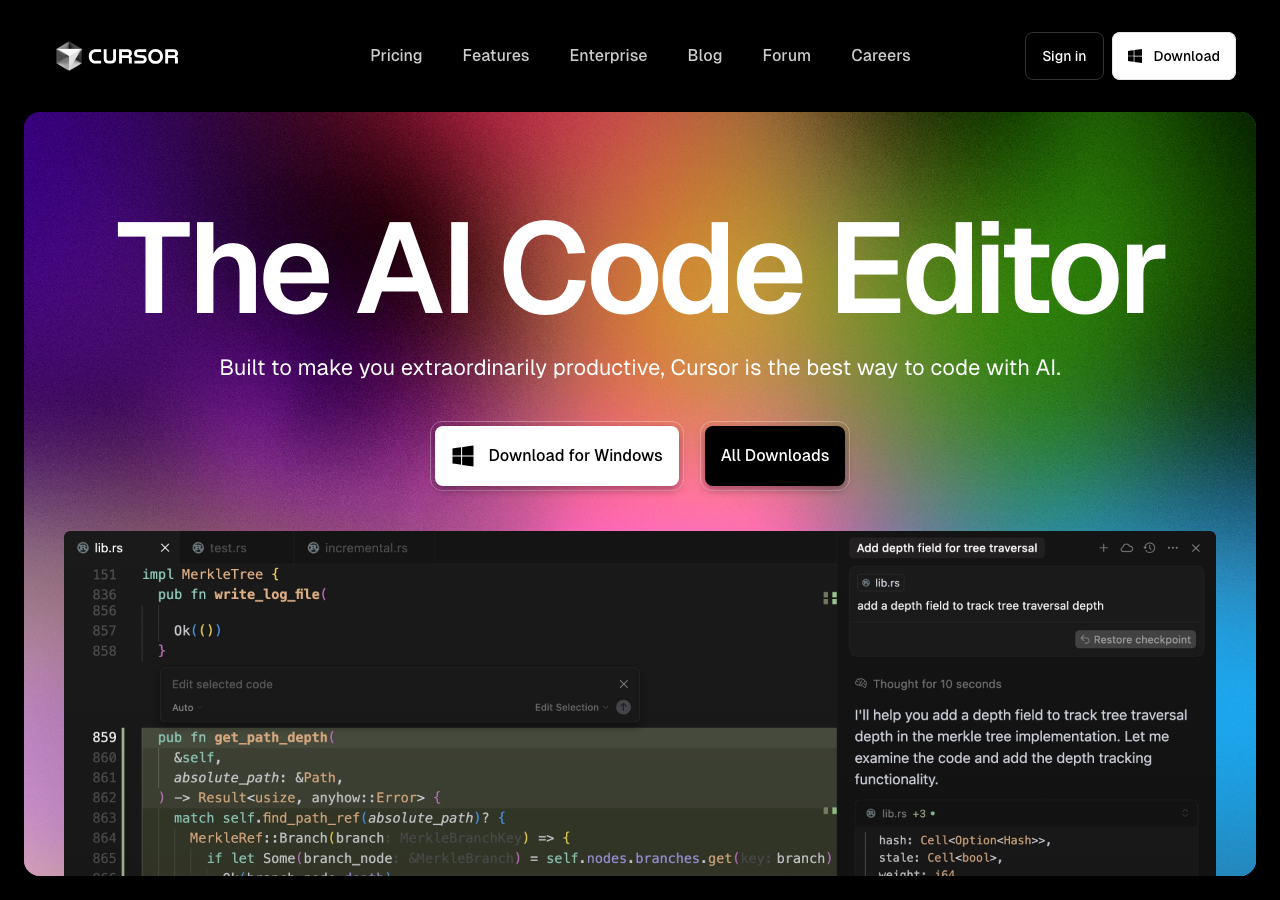
Cursor – The AI code editor that knows your codebase

Cursor is an AI-first code editor and IDE, built as a fork of VS Code, with deeply integrated AI features for code generation, refactoring, debugging, context-aware chat, advanced autocomplete, multi-file and multi-language support, real-time code suggestions, in-app documentation, web search, model

Cursor logo - Conversational AI brand identity

Cursor

"The AI code editor that knows your codebase"

Recently Updated
Visit Website
Cursor Conversational AI showing ai code editor - The AI code editor that knows your codebase

About Cursor

Cursor is an AI-first code editor and IDE, built as a fork of VS Code, with deeply integrated AI features for code generation, refactoring, debugging, context-aware chat, advanced autocomplete, multi-file and multi-language support, real-time code suggestions, in-app documentation, web search, model flexibility (GPT-4o, Claude 3 Opus and more), image and voice support, collaboration tools, and customizable AI behaviors—designed to boost developer productivity for entire projects and codebases.

Rate this Tool

4.3 / 5based on 3 ratings

Share this Tool

Video Showcase

Cursor Tutorial for Beginners (AI Code Editor)

Additional Notes

The tool is suitable for businesses, students, travelers, and anyone in need of quick and reliable translation services.

Master This Topic

Deepen your understanding of the concepts behind tools like Cursor with our expert guides.

Comparing 4 AI tools.

Upvotes:
351
Avg. Rating:
4.3
Slogan:
The AI code editor that knows your codebase
Pricing Model:
Freemium
Enterprise
Contact for Pricing
Monthly Pricing (USD):
$0 – $200 / month
Min$0 / month
Mid$20 / month
Max$200 / month
Free tier
Pricing Details:
Hobby (Free), Pro $20/month ($20 usage pool), Pro+ $60/month (triple usage), Ultra $200/month (20x Pro usage), Teams $40/user/month, Enterprise: contact for pricing
Platforms:
Desktop App
Web App
API
Plugin/Integration
Target Audience:
Software Developers, AI Enthusiasts, Students, Educators
Website:
Visit Site
Upvotes:
379
Avg. Rating:
4.3
Slogan:
All-in-one AI assistant for seamless teamwork, smarter workflows, and integrated productivity.
Pricing Model:
Freemium
Enterprise
Contact for Pricing
Monthly Pricing (USD):
N/A
Pricing Details:
Free ($0), Plus $12/month, Business $24/month (AI included), Enterprise custom pricing (AI included). AI is included only in Business and Enterprise for new users as of August 2025. No paid AI add-on for new Free/Plus users.
Platforms:
Web App
Desktop App
Mobile App
Plugin/Integration
API
Target Audience:
Content Creators, Product Managers, Business Executives, Entrepreneurs, Educators, Students, Remote Workers, Marketing Professionals, Software Developers
Website:
Visit Site
Upvotes:
296
Avg. Rating:
5.0
Slogan:
Unified AI and cloud for every enterprise: models, agents, infrastructure, and scale.
Pricing Model:
Freemium
Pay-per-Use
Enterprise
Contact for Pricing
Monthly Pricing (USD):
N/A
Pricing Details:
Free tier; Pro at $19.99/month; Ultra at $249.99/month; Vertex AI usage-based pricing; Enterprise/committed plans available via sales.
Platforms:
Web App
API
CLI Tool
Plugin/Integration
Target Audience:
Software Developers, Scientists, Product Managers, Business Executives, Entrepreneurs, Educators, Students, Customer Service, Healthcare Providers
Website:
Visit Site
Upvotes:
481
Avg. Rating:
4.3
Slogan:
AI workflow automation for technical teams
Pricing Model:
Freemium
Enterprise
Contact for Pricing
Monthly Pricing (USD):
N/A
Pricing Details:
Self-hosted Community Edition is free. Starter (Cloud) is $24/month, Pro is $60/month, Business and Enterprise are custom-priced in USD.
Platforms:
Web App
Desktop App
CLI Tool
API
Plugin/Integration
Target Audience:
Software Developers, Product Managers, Business Executives, Entrepreneurs, Marketing Professionals, AI Enthusiasts
Website:
Visit Site

Have Your Own AI Tool?

List it FREE and compete alongside the tools above

Free Listing: Showcase your AI solution to thousands of professionals searching for the right tool.

No credit card required. Start gaining visibility today! ✨

Make the Most of Cursor

Use this page as a starting point to evaluate Cursor alongside similar options. Our directory focuses on practical details that matter for adoption—capabilities, pricing signals, integrations, and real audiences—so you can shortlist with confidence and move from exploration to evaluation faster.

For a structured head‑to‑head, try the comparison view: Compare AI tools. To stay current with launches, model updates, and research breakthroughs, visit AI News. New to the space? Sharpen your understanding with AI Fundamentals.

Before adopting any tool, model your total cost at expected usage, verify integration coverage and API quality, and review privacy, security, and compliance. A short pilot on a real workflow will reveal reliability and fit quickly. Bookmark this site to track updates to Cursor and the broader ecosystem over time.

Tool Owner Benefits

Maximize Cursor's Visibility & Growth

Take your tool to the next level with Featured placements, Academy mentions with high-authority backlinks, 48h Fast‑Track listing, Newsletter features to thousands of AI practitioners, and exclusive Data/API access for growth insights.

User Reviews

No reviews yet

Be the first to review this tool!

Rating Distribution

5
0
4
0
3
0
2
0
1
0

Login to Write a Review

Share your experience with Cursor by creating an account

All Reviews (0)

No reviews yet. Be the first to share your experience!

How Cursor Works

Cursor integrates directly into your development workflow via API and IDE extensions. Code suggestions, refactoring, and debugging happen where you already work. Integrations with Cursor keep work connected.

Key Features & Capabilities

Real-time coding assistance

Cursor understands context across files, making suggestions that fit your codebase. Python, JavaScript/TypeScript, and C/C++

Personalized AI interactions

Multi-turn conversations feel natural, like talking to a knowledgeable colleague. Integrations with Cursor keep work connected.

Work anywhere with Cursor

Multi-platform support ensures everyone can use Cursor regardless of their device preference. Available across Desktop App, Web App, and API for consistent adoption.

RESTful API integration

Rate limits and authentication are clearly documented for smooth implementation. Automation handles the repetitive work so teams can focus on strategy.

SDKs to accelerate build-out

Type-safe SDKs provide autocomplete and compile-time checks for faster development.

Common Use Cases

Software Developers
Debug and refactor faster

Developers use Cursor to write code faster, catch bugs early, and refactor legacy systems. Automation handles the repetitive work so teams can focus on strategy.

Software Developers
Enhance developer productivity

Integrate Cursor into existing development tools for seamless workflow enhancement. Automation handles the repetitive work so teams can focus on strategy.

Software Developers
Automate repeatable work

Workflows trigger automatically so stakeholders focus on higher-value work. Automation handles the repetitive work so teams can focus on strategy.

Pricing & Plans

Hobby (Free), Pro $20/month ($20 usage pool), Pro+ $60/month (triple usage), Ultra $200/month (20x Pro usage), Teams $40/user/month, Enterprise: contact for pricing

Usage Model: Pay-as-You-Go, Credits, Seats, Projects — ensuring you only pay for what you actually use.

Frequently Asked Questions about Cursor

What is Cursor and what does it do?
Cursor is The AI code editor that knows your codebase. Cursor is an AI-first code editor and IDE, built as a fork of VS Code, with deeply integrated AI features for code generation, refactoring, debugging, context-aware chat, advanced autocomplete, multi-file and multi-language support, real-time code suggestions, in-app documentation, web search, model flexibility (GPT-4o, Claude 3 Opus and more), image and voice support, collaboration tools, and customizable AI behaviors—designed to boost developer productivity for entire projects and codebases. Available on Desktop App, Web App, API and 1 more platforms, Cursor is designed to enhance productivity and deliver professional-grade conversational ai capabilities.
How much does Cursor cost?
Cursor offers Freemium, Enterprise, Contact for Pricing pricing options. Hobby (Free), Pro $20/month ($20 usage pool), Pro+ $60/month (triple usage), Ultra $200/month (20x Pro usage), Teams $40/user/month, Enterprise: contact for pricing Current estimates suggest pricing from $0 – $200 / month. You can start with a free tier to test the platform before committing to a paid plan. For the most current pricing details and plan comparisons, visit the official Cursor pricing page or contact their sales team for custom enterprise quotes.
Is Cursor secure and compliant with data privacy regulations?
Cursor takes data privacy seriously and implements industry-standard security measures. Data is hosted in Global, providing transparency about where your information resides. For comprehensive details about data handling, encryption, and privacy practices, review their official privacy policy. Security and compliance are continuously updated to meet evolving industry standards.
What platforms does Cursor support?
Cursor is available on Desktop App, Web App, API, Plugin/Integration. The web application provides full functionality directly in your browser without requiring downloads. API access allows developers to integrate Cursor capabilities directly into their own applications and workflows. This multi-platform approach ensures you can use Cursor wherever and however you work best.
How can I try Cursor before purchasing?
Cursor offers a demo version that lets you explore key features hands-on. The freemium model gives you access to essential features at no cost, with premium capabilities available through paid upgrades. Testing the platform before committing ensures it meets your specific requirements and integrates smoothly with your existing workflows. Support for English, Spanish, French, German, Italian, Portuguese, Dutch, Russian, Chinese, Japanese makes it accessible to global users.
What file formats does Cursor support?
Cursor accepts Text input in various languages as input formats, making it compatible with your existing files and workflows. Output is delivered in Translated text in the selected language, ensuring compatibility with downstream tools and platforms. This format flexibility allows seamless integration into diverse tech stacks and creative pipelines. Whether you're importing data, exporting results, or chaining multiple tools together, Cursor handles format conversions efficiently without manual intervention.
Who develops and maintains Cursor?
Cursor is developed and maintained by Cursor, based in United States. Most recently updated in November 2025, the platform remains actively maintained with regular feature releases and bug fixes. This ongoing commitment ensures Cursor stays competitive and aligned with industry best practices.
How do I get access to Cursor?
Cursor is freely available to everyone without registration requirements. You can start using the platform immediately without going through lengthy approval processes. A demo version is also available for those who want to explore features before committing.
How is usage measured and billed in Cursor?
Cursor uses Pay-as-You-Go, Credits, Seats and more as billing metrics. Credit-based systems offer flexibility, allowing you to purchase credits in advance and consume them as needed. Seat-based pricing charges per user, making it straightforward for team collaboration scenarios. This usage model ensures you only pay for what you actually use, avoiding unnecessary overhead costs for features you don't need.
What deployment options does Cursor offer?
Cursor supports Cloud deployment configurations. Cloud-hosted options provide instant scalability without infrastructure management overhead. Choose the deployment model that best aligns with your technical requirements, security constraints, and operational preferences.
Who is Cursor best suited for?
Cursor is primarily designed for Software Developers, AI Enthusiasts, Students and Educators. Professionals in conversational ai find it invaluable for streamlining their daily tasks. Whether you need automation, creative assistance, data analysis, or communication support, Cursor provides valuable capabilities for multiple use cases and skill levels.
Are there video tutorials available for Cursor?
Yes! Cursor offers video tutorials including "Cursor Tutorial for Beginners (AI Code Editor)" to help you get started quickly and master key features. Video content provides step-by-step walkthroughs that complement written documentation, making it easier to visualize workflows and understand best practices. These tutorials cover everything from basic setup to advanced techniques, ensuring users of all skill levels can leverage the platform effectively. Visual learning materials are particularly helpful for onboarding new team members or exploring complex features that benefit from demonstration.
Does Cursor offer APIs or SDKs?
Yes, Cursor provides SDK support for Python, JavaScript/TypeScript, C/C++, Ruby/PHP/Perl, Go. This enables developers to integrate the tool's capabilities into custom applications.
Does Cursor receive regular updates?
Cursor is actively maintained with regular updates to improve features, security, and performance. Cursor continuously develops the platform based on user feedback and industry advancements. Updates typically include new AI capabilities, interface improvements, bug fixes, and security patches. Comprehensive API documentation is kept current with each release, making it easy for developers to leverage new features. Staying up-to-date ensures you benefit from the latest AI advancements and best practices in conversational ai.
What do users say about Cursor?
Cursor has received 3 user reviews with an average rating of 4.3 out of 5 stars. This solid rating indicates the tool meets or exceeds most users' expectations across various use cases. Additionally, Cursor has received 351 upvotes from the community, indicating strong interest and recommendation. Reading detailed reviews helps you understand real-world performance, common use cases, and potential limitations before committing to the platform.
Is the information about Cursor up-to-date and verified?
Yes, Cursor's listing was last verified recently by our editorial team. This recent verification ensures all information reflects the current state of the platform. Our verification process checks pricing accuracy, feature availability, platform support, and official links. If you notice outdated information, you can submit corrections through our community contribution system to help keep the directory current and reliable for all users.
How does Cursor compare to other Conversational AI tools?
Cursor distinguishes itself in the Conversational AI category through accessible pricing options that lower the barrier to entry. Multi-platform support across 4 platforms provides flexibility that single-platform alternatives lack. When evaluating options, consider your specific requirements around pricing, features, integrations, and compliance to determine the best fit for your use case.
How difficult is it to learn Cursor?
The learning curve for Cursor varies depending on your experience level and use case complexity. The demo environment provides a risk-free sandbox to explore features and gain familiarity before production use. Video tutorials offer visual guidance that accelerates the onboarding process. Comprehensive API documentation supports developers who need to integrate the tool programmatically. Most users report becoming productive within a few days depending on their background. Cursor balances powerful capabilities with intuitive interfaces to minimize the time from signup to value delivery.
How often is Cursor updated with new features?
Cursor was most recently updated in November 2025, demonstrating active ongoing development. Cursor maintains a development roadmap informed by user feedback and market trends. Regular updates typically include performance optimizations, bug fixes, security patches, and new capabilities that expand the tool's functionality. This frequent update cadence ensures the platform stays current with rapidly evolving AI technologies.
What support resources are available for Cursor?
Cursor provides multiple support channels to help users succeed. Comprehensive API documentation covers technical integration details, code examples, and troubleshooting guides. Privacy policy documentation explains data handling practices and compliance measures. Video tutorials demonstrate features visually for different learning preferences. Cursor typically offers additional support through email, chat, or ticketing systems depending on your plan. The combination of self-service resources and direct support channels ensures you can resolve issues quickly and maximize your investment in the platform.
Is Cursor a reliable long-term choice?
When evaluating Cursor for long-term use, consider several indicators: Development by Cursor provides organizational backing and accountability. Strong community support (351+ upvotes) signals healthy user adoption. High user satisfaction ratings suggest the platform delivers on its promises. Recent updates demonstrate active maintenance and feature development. Consider your specific requirements, budget constraints, and risk tolerance when making long-term platform commitments.
AI Chatbot Builder Platforms: A Comprehensive Guide to No-Code Conversational AI - AI Chatbots visualization and insights

No-code AI chatbot builders are democratizing conversational AI, enabling businesses to enhance customer engagement, streamline operations, and reduce costs without extensive coding knowledge. By leveraging these platforms, you can…

AI chatbot builder
no-code chatbot platform
conversational AI
chatbot development
Beyond Human-Centric IAM: How Agentic AI Demands an Intelligent Identity Control Plane - AI News visualization and insights

Traditional IAM systems are ill-equipped for the dynamic access needs and security risks of agentic AI, necessitating a shift towards an intelligent identity control plane. This evolution secures AI ecosystems while unlocking their…

Agentic AI
Identity and Access Management (IAM)
Intelligent Identity Control Plane
AI Agent Identity
Elsie AI: The Definitive Guide to Conversational Intelligence - AI News visualization and insights
Elsie AI is a powerful conversational AI platform that enables sophisticated, human-like interactions, offering tools for businesses to automate customer service, enhance marketing, and streamline internal processes. By leveraging its advanced AI algorithms, user-friendly interface, and…
Elsie AI
conversational AI
natural language processing
NLP
Start Exploring: