Remove text from images with one click.
Based on user reviews
Rating Distribution
by Best AI Tools
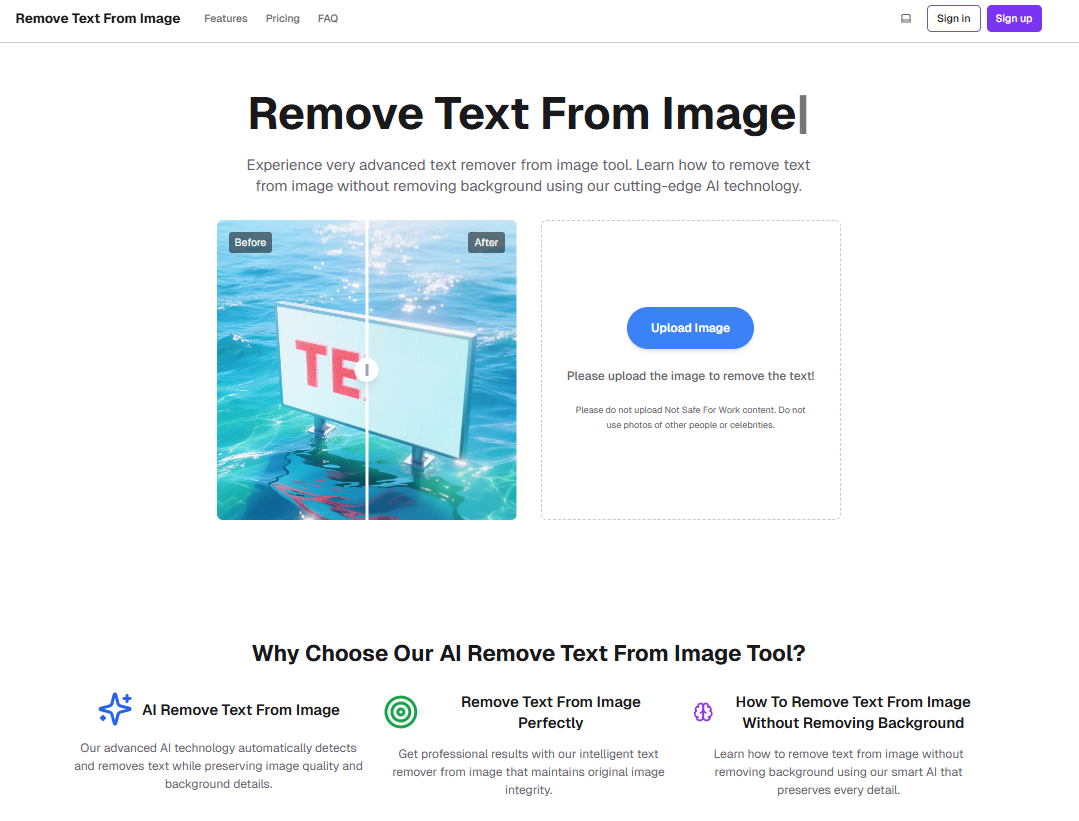
We evaluated RemoveTextFromImage.org and confirmed it uses AI to detect and erase text from uploaded images like JPG or PNG while inpainting the background seamlessly to maintain visual integrity. The brush-based selection tool allows precise control over what to remove, making it effective for watermarks or overlays without artifacts. For better results on complex backgrounds, we suggest adding a preview refinement step before final download.
ElenaVasquezDesign
18 days ago
I've been tweaking product mockups for my freelance gigs, and obtrusive watermarks kept ruining shots. This tool changed that fast. Over the past month, I've used it on about 20 images from client screenshots and stock photos. You just upload, brush over the text or logo, and it erases cleanly in seconds, blending the background naturally without any weird artifacts. Honestly, it's better than manually cloning in Photoshop, saving me at least 15 minutes per edit. Compared to Pixelcut, which I tried before, this one's brush is more precise for tricky curved text on posters. The results look pro, perfect for marketing assets. But the free daily limit hits quick if you're batching, so I grabbed the Light Pack for $4.90. No subscription is a win for sporadic use. Works great on web from my laptop or phone. To be honest, wish for unlimited free trials, but quality justifies the small cost. Solid for designers like me.
Albert Schaper(Artificial Intelligence, AI Tools)
Albert Schaper has analyzed Remove text from image for Image Generation, giving it a 4.0/5 rating based on 1 user review. Given Albert Schaper's expertise in artificial intelligence, this tool is particularly recommended for content creators who prioritize artificial intelligence capabilities.
Pricing: $1 – $29 / month(Updated February 2026)
Pay-as-you-go credits: Trial Pack $2.90 (25 credits, 8 images), Light Pack $4.90 (50 credits, 16 images). No monthly subscriptions. Free tier not available.
Usage Model: Credits, Per-Image — ensuring you only pay for what you actually use.
Usage-based pricing at $1 – $29 / month means Remove text from image bills content creators according to their actual image generation usage. This model eliminates wasted spending on unused capacity, making it attractive for content creators with variable workloads. The pricing scales automatically, so costs grow only when your image generation needs increase.
Remove unwanted text, watermarks, logos, or captions from images effortlessly. Troubled by obtrusive text on photos, posters, screenshots, or wallpapers? Our AI-powered tool lets you upload images, highlight text with a simple brush, and erase it instantly while preserving the natural background—no prompts needed. Enjoy limited free daily usage, direct upload/download from any device, and high-quality results in seconds.
Understanding the core functionality and approach of Remove text from image.
Remove text from image charges based on real activity, making it ideal for variable workloads. Budget planning becomes simpler when costs directly reflect output volume. Usage-based billing keeps costs aligned with real adoption.
Explore the powerful features that make Remove text from image stand out.
Remove text from image produces images that meet professional design standards without manual editing. Latest release shipped on February 9, 2026, showing a fast-moving roadmap.
Discover how different audiences leverage Remove text from image for their specific needs.
Remove text from image helps designers create mockups, illustrations, and visual concepts without starting from scratch. Currently optimized for Web App.
Content Creators rely on Remove text from image to keep content volume high—templates, collaboration, and AI help hit deadlines without extra headcount.
Remove text from image aggregates insights across product, marketing, and support so releases stay aligned.
Discover more AI tools in related categories, platforms, and use cases.
Deepen your understanding of the concepts behind tools like Remove text from image with our expert guides.
Understand core concepts like LLMs and Machine Learning.
Master search, filtering, and comparison to find the perfect tool.
Learn to craft effective prompts to command AI models.
Integrate AI into your daily workflows ethically and effectively.
See how Remove text from image stacks up against similar alternatives in the market.
Explore these popular alternatives to Remove text from image for your specific needs.
Take your tool to the next level with Featured placements, Academy mentions with high-authority backlinks, 48h Fast‑Track listing, Newsletter features to thousands of AI practitioners, and exclusive Data/API access for growth insights.
Use this page as a starting point to evaluate Remove text from image alongside similar options. Our directory focuses on practical details that matter for adoption—capabilities, pricing signals, integrations, and real audiences—so you can shortlist with confidence and move from exploration to evaluation faster.
For a structured head‑to‑head, try the comparison view: Compare AI tools. To stay current with launches, model updates, and research breakthroughs, visit AI News. New to the space? Sharpen your understanding with AI Fundamentals.
Before adopting any tool, model your total cost at expected usage, verify integration coverage and API quality, and review privacy, security, and compliance. A short pilot on a real workflow will reveal reliability and fit quickly. Bookmark this site to track updates to Remove text from image and the broader ecosystem over time.
Found incorrect information or have concerns about Remove text from image? Let us know.
Looking for alternatives to Remove text from image or similar tools? Use our AI-powered chatbot to discover the perfect solution for your needs.