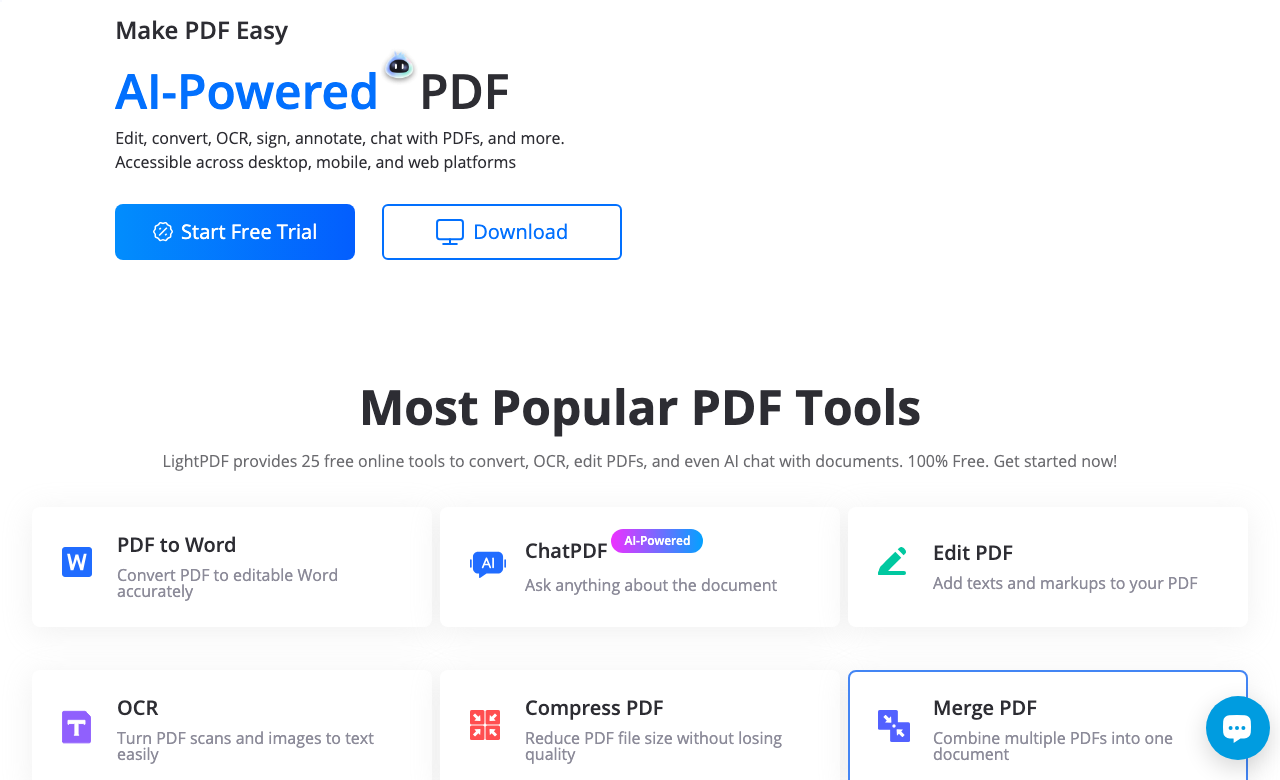
What is LightPDF and what does it do?
LightPDF is AI-powered all-in-one PDF toolkit for every document task. AI-powered all-in-one PDF platform for web and mobile, offering editing, conversion, OCR, annotation, collaboration, e-signatures, compression, merging, scanning, cloud storage, and real-time AI chat and agents for document analysis, summarization, translation, and automation. Available on Web App, Desktop App, Mobile App and 1 more platforms, LightPDF is designed to enhance productivity and deliver professional-grade productivity & collaboration capabilities.
How much does LightPDF cost?
LightPDF offers Freemium, Pay-per-Use, Enterprise, Contact for Pricing pricing options. Free tier with limited tools and AI usage, Premium subscription approx. $7.5/month billed monthly, approx. $4.2/month billed annually, API sold as pay-per-use credit bundles starting around $21/year e... Current estimates suggest pricing from $0 – $7.5 / month. You can start with a free tier to test the platform before committing to a paid plan. For the most current pricing details and plan comparisons, visit the official LightPDF pricing page or contact their sales team for custom enterprise quotes.
Is LightPDF secure and compliant with data privacy regulations?
LightPDF takes data privacy seriously and implements industry-standard security measures. Data is hosted in Global, providing transparency about where your information resides. For comprehensive details about data handling, encryption, and privacy practices, review their official privacy policy. Security and compliance are continuously updated to meet evolving industry standards.
What platforms does LightPDF support?
LightPDF is available on Web App, Desktop App, Mobile App, API. The web application provides full functionality directly in your browser without requiring downloads. Mobile apps enable you to work on-the-go with synchronized data across devices. API access allows developers to integrate LightPDF capabilities directly into their own applications and workflows. This multi-platform approach ensures you can use LightPDF wherever and however you work best.
How can I try LightPDF before purchasing?
The freemium model gives you access to essential features at no cost, with premium capabilities available through paid upgrades. Testing the platform before committing ensures it meets your specific requirements and integrates smoothly with your existing workflows. Support for Multiple languages supported for text recognition and conversion. makes it accessible to global users.
What file formats does LightPDF support?
LightPDF accepts Accepts PDF, Word, Excel, PowerPoint, image files, and more for conversion and editing. as input formats, making it compatible with your existing files and workflows. Output is delivered in Converts files to PDF and various other formats including Word, Excel, PowerPoint, and image formats., ensuring compatibility with downstream tools and platforms. This format flexibility allows seamless integration into diverse tech stacks and creative pipelines. Whether you're importing data, exporting results, or chaining multiple tools together, LightPDF handles format conversions efficiently without manual intervention.
Who develops and maintains LightPDF?
LightPDF is developed and maintained by LightPDF, based in China. Most recently updated in December 2025, the platform remains actively maintained with regular feature releases and bug fixes. This ongoing commitment ensures LightPDF stays competitive and aligned with industry best practices.
How do I get access to LightPDF?
LightPDF is freely available to everyone without registration requirements. You can start using the platform immediately without going through lengthy approval processes.
How is usage measured and billed in LightPDF?
LightPDF uses Pay-as-You-Go, Per-Image, Per-Minute as billing metrics. This usage model ensures you only pay for what you actually use, avoiding unnecessary overhead costs for features you don't need.
What deployment options does LightPDF offer?
LightPDF supports Cloud deployment configurations. Cloud-hosted options provide instant scalability without infrastructure management overhead. Choose the deployment model that best aligns with your technical requirements, security constraints, and operational preferences.
Who is LightPDF best suited for?
LightPDF is primarily designed for Business Executives, Entrepreneurs, Educators and Students. Professionals in productivity & collaboration find it invaluable for streamlining their daily tasks. Whether you need automation, creative assistance, data analysis, or communication support, LightPDF provides valuable capabilities for multiple use cases and skill levels.
Are there video tutorials available for LightPDF?
Yes! LightPDF offers video tutorials including "[LightPDF FAQ] How to Use LightPDF AI for Docs to Chat with Multiple Documents" to help you get started quickly and master key features. Video content provides step-by-step walkthroughs that complement written documentation, making it easier to visualize workflows and understand best practices. These tutorials cover everything from basic setup to advanced techniques, ensuring users of all skill levels can leverage the platform effectively. Visual learning materials are particularly helpful for onboarding new team members or exploring complex features that benefit from demonstration.
Does LightPDF offer APIs or SDKs?
Yes, LightPDF provides SDK support for JavaScript/TypeScript. This enables developers to integrate the tool's capabilities into custom applications.
Does LightPDF receive regular updates?
LightPDF is actively maintained with regular updates to improve features, security, and performance. LightPDF continuously develops the platform based on user feedback and industry advancements. Updates typically include new AI capabilities, interface improvements, bug fixes, and security patches. Staying up-to-date ensures you benefit from the latest AI advancements and best practices in productivity & collaboration.
What do users say about LightPDF?
LightPDF has received 3 user reviews with an average rating of 4.0 out of 5 stars. This solid rating indicates the tool meets or exceeds most users' expectations across various use cases. Additionally, LightPDF has received 25 favorites from the community, indicating strong interest and recommendation. Reading detailed reviews helps you understand real-world performance, common use cases, and potential limitations before committing to the platform.
Is the information about LightPDF up-to-date and verified?
Yes, LightPDF's listing was last verified within the past quarter by our editorial team. We regularly review and update tool information to maintain accuracy. Our verification process checks pricing accuracy, feature availability, platform support, and official links. If you notice outdated information, you can submit corrections through our community contribution system to help keep the directory current and reliable for all users.
How does LightPDF compare to other Productivity & Collaboration tools?
LightPDF distinguishes itself in the Productivity & Collaboration category through accessible pricing options that lower the barrier to entry. Multi-platform support across 4 platforms provides flexibility that single-platform alternatives lack. When evaluating options, consider your specific requirements around pricing, features, integrations, and compliance to determine the best fit for your use case.
How difficult is it to learn LightPDF?
The learning curve for LightPDF varies depending on your experience level and use case complexity. Video tutorials offer visual guidance that accelerates the onboarding process. Most users report becoming productive within a few days depending on their background. LightPDF balances powerful capabilities with intuitive interfaces to minimize the time from signup to value delivery.
How often is LightPDF updated with new features?
LightPDF was most recently updated in December 2025, indicating regular maintenance and improvements. LightPDF maintains a development roadmap informed by user feedback and market trends. Regular updates typically include performance optimizations, bug fixes, security patches, and new capabilities that expand the tool's functionality. Users can expect continued improvements as the product matures.
What support resources are available for LightPDF?
LightPDF provides multiple support channels to help users succeed. Privacy policy documentation explains data handling practices and compliance measures. Video tutorials demonstrate features visually for different learning preferences. LightPDF typically offers additional support through email, chat, or ticketing systems depending on your plan. The combination of self-service resources and direct support channels ensures you can resolve issues quickly and maximize your investment in the platform.
Is LightPDF a reliable long-term choice?
When evaluating LightPDF for long-term use, consider several indicators: Development by LightPDF provides organizational backing and accountability. Growing community interest indicates positive momentum. High user satisfaction ratings suggest the platform delivers on its promises. Recent updates demonstrate active maintenance and feature development. Consider your specific requirements, budget constraints, and risk tolerance when making long-term platform commitments.